Homechurch Next-Gen ministries
Volunteer
Clearances
Thank you for choosing to serve with us! At Homechurch, the safety and security of our children, students, and others is critical to the health of our ministry. In order to be in compliance with Pennsylvania state laws, employees and volunteers are required to have three separate background clearances: PA State Police, PA Child Abuse and Homechurch Affidavit (if applicable) OR FBI Fingerprinting.
These clearances serve to confirm and ensure that volunteers do not have a record of child abuse or any other criminal actions that would make them ineligible to volunteer with children.
Step 1: Complete Clearances
Please click the drop down arrows for more instructions on completing each required clearance.
If you have already completed these clearances
within the last five years
from a previous volunteer role or from employment, please email them to info@homechurchpgh.com.
PA Police State Criminal Record Check
This Record Check is free for volunteers.
- Go to https://epatch.state.pa.us/
- Choose “New Volunteer Record Check”
- Read the Terms and Conditions for the use of PATCH (Pennsylvania Access To Criminal History). Scroll down and click on the box under the Volunteer Acknowledgement Section. Click “Accept”
- On the next page, enter Homechurch Network as the Organization Name and 412-407-7736 as the Organization Telephone Number.
- Continue entering your Personal Information. Then, click “Next”
- Review your Personal Information entered. If all is correct, click “Proceed”
- On the next page, enter the required information. If you have a maiden name or nickname, enter them as “Alias 1” “Alias 2” etc. When finished, click “Enter This Request”
- Your information will now appear and will also indicate if an item was found. Click “Submit”
- Once processed, click on the blue Control # to the left of your name (it begins with an “R”).
*Note: The screen you see now is not your clearance result. It shows that you completed the process. Please continue with the instructions to obtain your clearance result.
- Click on the blue words “Certification Form”
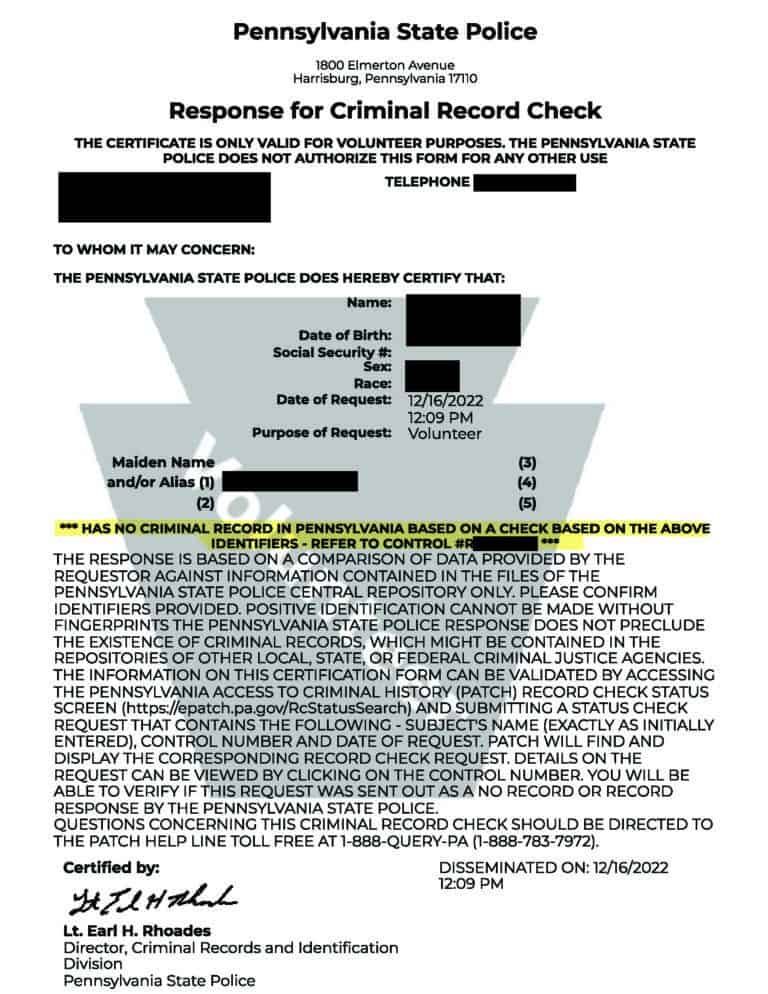
- A copy of your Pennsylvania State Police Response for Criminal Record Check appears on the screen. To print a copy or save as a PDF, click “Print.”
PA Child Abuse Clearance
This clearance is free for volunteers if you haven’t applied for the clearance within the previous 57 months.
Go to https://www.compass.state.pa.us/cwis/public/home
- Click on “Create Individual Account”
- Read the General Information provided, then click “Next”
- Create a new Keystone ID by providing the required information and answering the security questions. Write down your created ID for later reference. Then, click “Finish”
- After completing your registration, you will receive two emails from the state. They will contain your created Keystone ID and a temporary password.
- Using that information, log in to www.compass.state.pa.us by clicking “Individual Login”
- Follow the instructions to set a permanent password. You will be taken back to the home page and asked to login with this new password.
- Read the Terms and Conditions. Check the “I have read…” statement and click “Next”
- Read through the disclosure information and click “Continue”
- Click on “Create Clearance Application”
- Review the information you will need and click “Begin”
- Click on the “Volunteer Having Contact with Children:….” statement as your reason for submitting this application. Enter Homechurch Network as the “Agency Name”; Click “Next”
- Enter the requested information: Name and Social Security Number *Note: You may opt not to provide your SSN. Should you choose not to, follow the instructions provided. This may delay your clearance or may require additional documentation.
- Enter your Current Address. Then, choose the delivery method for your clearance certificate. Click “Next”
- Enter all Previous Addresses. (Your current address has already been recorded) Use the “+” button to add all addresses that you have lived at since 1975. When finished, click “Next”
- Enter Household Members using the “+” button to add names. Then, click “Next”
- Review the Application Summary information. Scroll down to click “Next”
- Acknowledge that the information you entered is true and correct. Check the “I hereby certify….” and then type your name in the Signature box exactly as you entered it on the beginning page of this process. Then, click “Next”
- Select “No” to the question of “Did the organization you are volunteering for provide a code for your application?” This clearance is free for volunteers and will not require a code. Click “Submit Application”
- Your Pennsylvania Child Abuse History Certification has been submitted. Your clearance will be sent to you via the delivery method you selected during this process.
FBI Fingerprinting Clearances
Homechurch AffidavitIf you have lived within the state of Pennsylvania for the past 10 years, with no break in residence, you are eligible to sign a Homechurch Affidavit instead of completing the fingerprinting process.
Signing the Affidavit verifies that you have not committed any of the listed offenses. You may find the Affidavit here.
You may complete the document by printing out the PDF or filling out the editable PDF online. If you choose to print the document, please send a scanned copy.
Complete all requested information on the Affidavit and provide your own witness. The witness who signs your document should be someone who knows you well and who can testify to your character.
If you have resided in another state aside from Pennsylvania within the last ten years, please complete the steps below:
FBI Fingerprinting/Federal Criminal History Background Check – Fee associated with this process
- Go to https://uenroll.identogo.com/ (you will complete the process for Digital Fingerprinting)
- Enter the following Service Code: 1KG6ZJ (this is the PA DHS Volunteer option) and click “Go”
- Click “Schedule or Manage Appointment”
- On the next page, enter the requested information. When finished, click “Next”
- Enter your Employer Name and information; Then, click “Next”
- Enter your Citizenship Information and click “Next”
- Answer the questions provided on the following screen: For “Have you ever used an alias?” answer the question (an alias would be any maiden name or nickname) For “Do you have an Authorization Code (Coupon Code)…,” answer “No.” Click “Next” to continue
- If you answered yes to having an alias, fill in the boxes on the screen. Use the “+Alias” button to add multiple names. Then, add your Personal Information. Click “Next” to continue. If you answered no to having an alias, fill in your Personal Information and click “Next” to continue.
- Enter your “Mailing Address” and click “Next”
- Use the drop down box to choose a document to bring with you to the fingerprinting appointment. Make note of what you are choosing to bring. Answer the required question and follow the instructions which appear based on your choices. Click “Next” to continue.
- Enter a Zip Code and click on the blue “Search” button. A list of appointment locations will appear. Click on a location to choose one and within that appointment box, click “Next”
- The Authorization Code you provided at the beginning of this process now indicates the fee associated with your clearance. Make note of that amount. No payment is necessary at this time (you will pay the fee at your appointment) and you do not need to enter another code. Click “Next” to continue.
- Select the Date and Time of your fingerprinting appointment. You may choose the “Back” button if you need to make changes to your appointment location. To confirm your appointment, click “Submit”
- You will be directed to a Confirmation screen with your appointment details. Be sure to bring the documentation you chose during this process to the fingerprinting appointment on the date and time you selected.
- Once at the appointment, you will pay the amount due and complete the fingerprinting process.
- If you would like a reimbursement of the cost incurred, keep your receipt and submit it along with a copy of your Federal Criminal History Background Check to Info@homechurchpgh.com
*Note: Homechurch will initiate a refund for this fee only after the clearance has been received and filed.
Your fingerprinting results will be mailed to the address you provide.
The results will not be sent directly to Homechurch. This entire process may take 2-3 weeks or more for processing and mailing. Results should be sent to info@homechurchpgh.com
Step 2: Submit Clearances
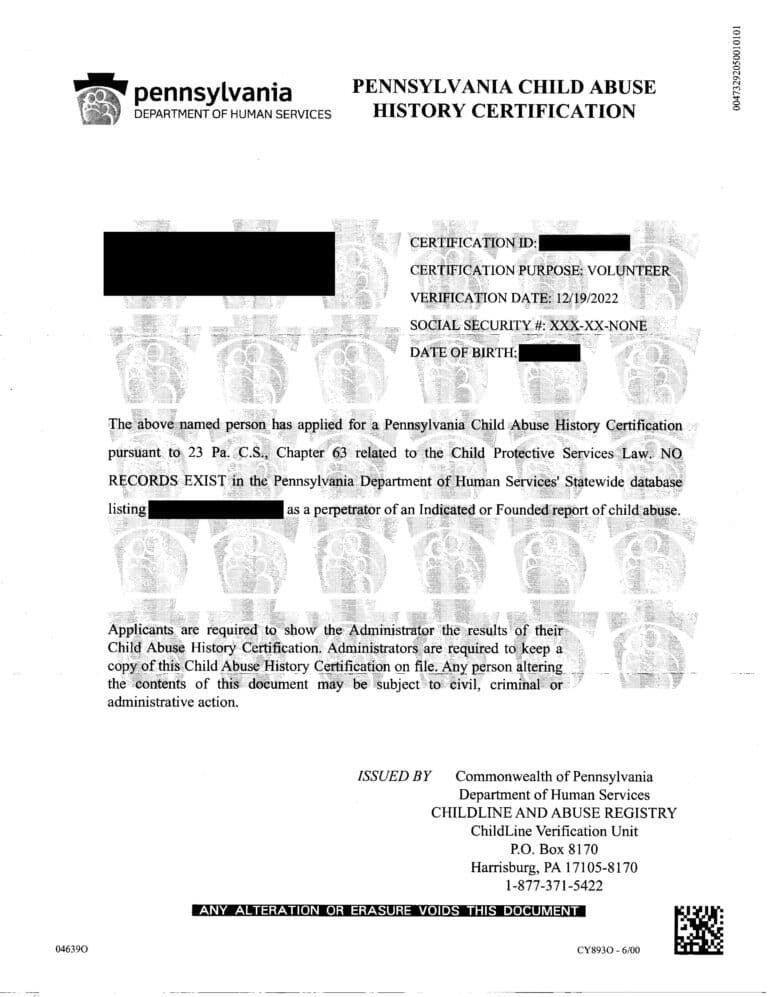
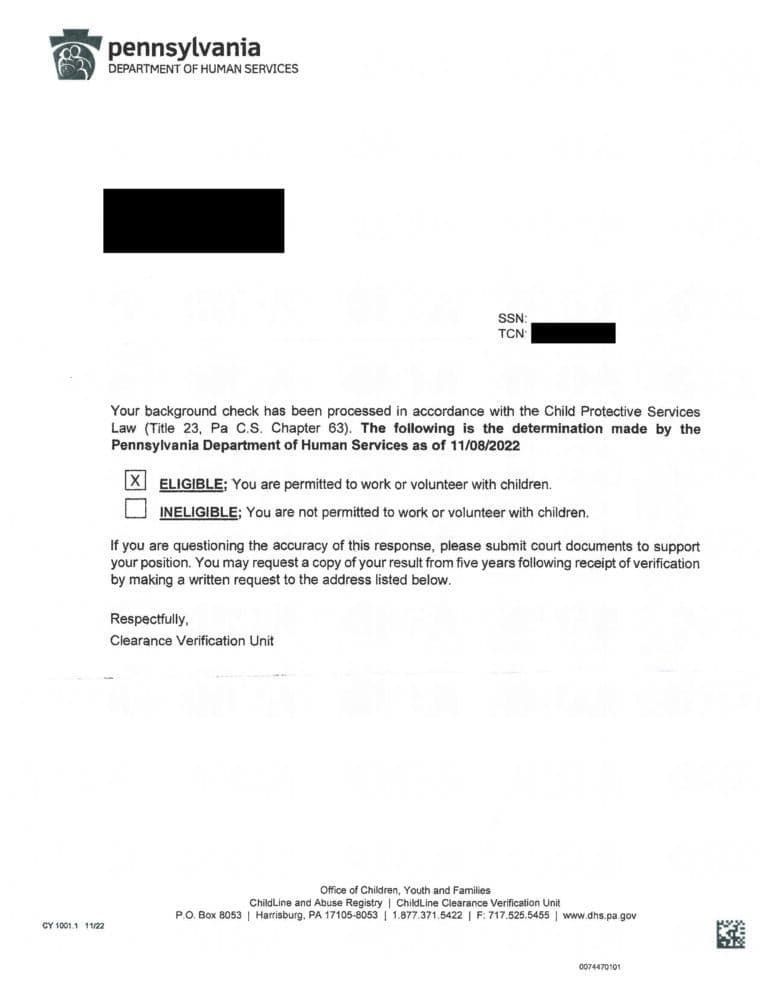
After securing the above clearance results, confirm that your documents match the examples shown below.
Provide your Full Name, Ministry Area or Event you serve/will serve at
(e.g. Homechurch Kids "Church Together" Nursery, Homechurch Kids "Church Anywhere" Robinson Home)
Email this information to
info@homechurchpgh.com for processing.
Should you have questions regarding these clearances, please reach out to Lindsay, our Pastor of Next-Gen Ministries (Lindsay@homechurchpgh.com).